Gemini AI Photo Prompts: Want to turn your favorite picture with your best friend into something cinematic and ultra-realistic? With Gemini AI, you can do exactly that. By using detailed prompts, you can tell Gemini how to adjust lighting, background, and effects to make your photo look professional and artistic.
In this blog, you’ll find 20 highly detailed Gemini AI photo prompts—each designed to help you create the most realistic, creative, and beautiful friendship photos. Whether you want a dreamy vibe, dramatic look, or magazine-style portrait, these prompts will make your pictures shine.
Style 1: Cinematic & Dramatic Prompts
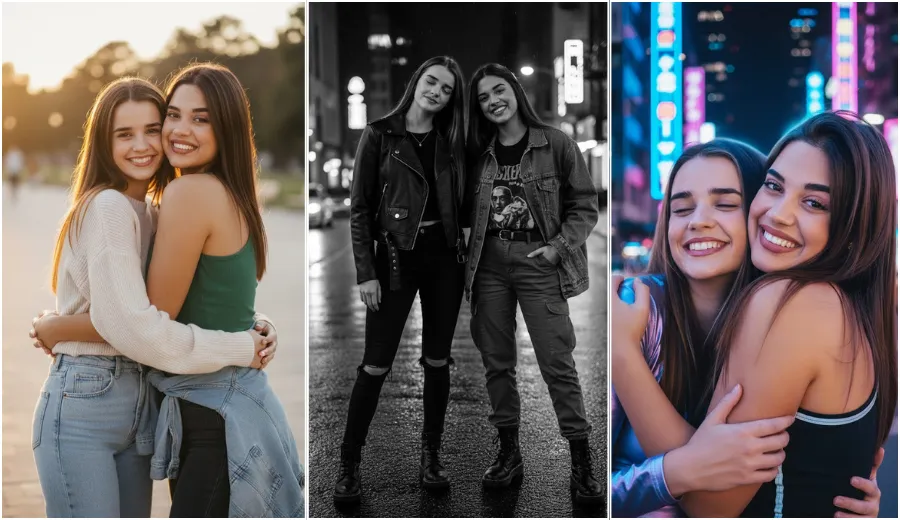
1. Golden Hour Friendship Portrait
Edit this uploaded photo into an ultra-realistic cinematic portrait. Keep all faces and body shapes exactly the same as the original photo. Change the outfits to stylish casual wear and adjust the posture to a relaxed standing pose. Place the friends outdoors during golden hour with warm sunlight coming from one side. Add soft shadows, shallow depth of field, and a gentle film grain. Keep the background naturally blurred while faces remain sharp and detailed.
2. Moody Black and White Street Style
Transform this photo into a dramatic black and white street-style portrait. Preserve original faces and body proportions. Change clothing to modern street fashion like jackets and boots. Adjust the pose to a confident standing or walking posture. Replace the background with a moody urban street. Use strong contrast lighting with deep shadows and bright highlights while keeping skin texture realistic.
3. Neon City Night Glow
Edit this image into a realistic neon city night scene. Keep facial features and body shape unchanged. Change outfits to modern nightwear with reflective textures. Adjust posture to a casual standing pose. Add a cyberpunk-style city background with blue and magenta neon lights reflecting on skin and clothes. Keep faces sharp with cinematic glow around them.
Style 2: Soft & Dreamy Prompts
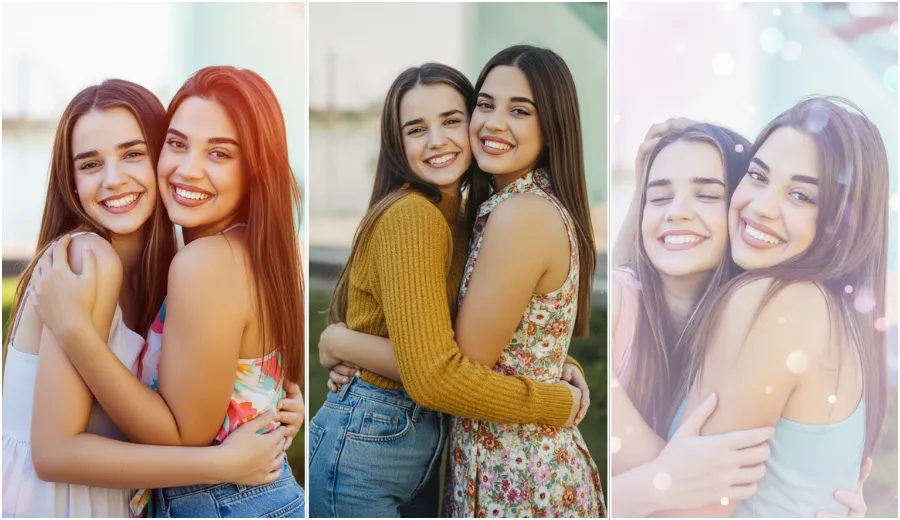
4. Soft Focus Memory Filter
Enhance this photo with a soft, dreamy look. Keep faces and body structure exactly the same. Change clothing to light pastel outfits and relaxed poses. Replace the background with a softly blurred environment featuring gentle bokeh lights. Use pastel tones like pink, blue, and cream. Slightly reduce sharpness but keep facial details natural.
5. Vintage Matte Film Look
Edit this photo into a realistic vintage film style. Preserve faces and body shape. Change clothes to retro-inspired outfits. Adjust posture to a natural standing or seated pose. Add a faded background with muted colors, matte tones, light grain, and subtle edge imperfections while keeping faces clear.
6. Sun-Drenched Light Leak Effect
Transform this photo into a bright summer-style image. Keep original faces and body proportions. Change outfits to casual summer wear. Adjust pose to relaxed and cheerful. Add warm sunlight with orange-red light leaks from one corner. Keep skin glowing naturally with a slightly overexposed background.
Style 3: Artistic & Stylized Prompts
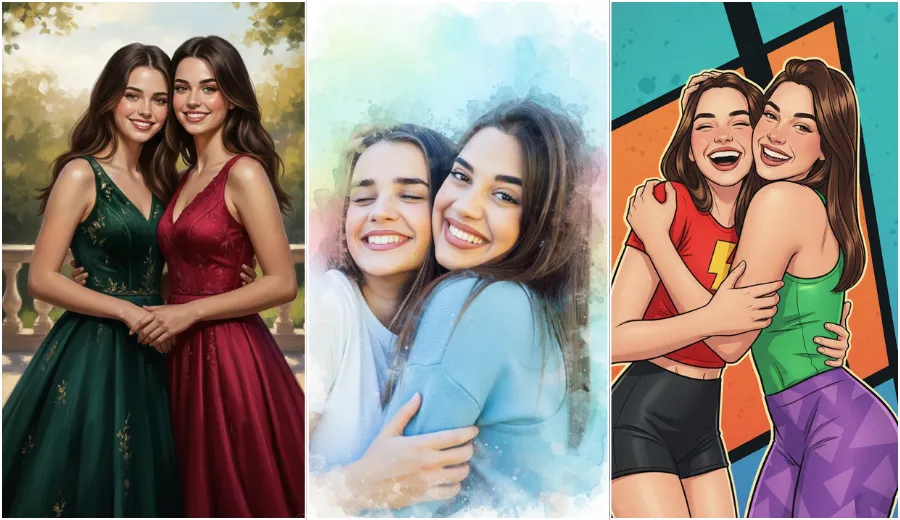
7. Hyper-Realistic Digital Painting
Turn this photo into a hyper-realistic digital painting. Keep facial features and body shape unchanged. Change clothing and posture to a composed portrait pose. Add rich colors and artistic lighting while maintaining realistic skin, hair, and fabric textures. The background should feel painted but natural.
8. Watercolor Splash Reality
Edit this photo so the friends remain realistic while the background turns into a soft watercolor painting. Keep faces and body structure the same. Change outfits to simple and clean styles. Use a masking effect where the subjects appear to emerge from watercolor splashes. Keep lighting bright and fresh.
9. Comic Book Pop Art Realism
Transform the photo into a realistic comic book-style image. Preserve all faces and body shapes. Change clothing to bold, colorful outfits and dynamic poses. Add a graphic background with flat color blocks, dark outlines, and subtle dot textures. Keep facial details sharp and expressive.
Style 4: Nature & Atmosphere Prompts
10. Rainy Window Reflection
Edit this photo to look like it was taken through a rainy window. Keep faces and body shape unchanged. Change clothes to weather-friendly outfits. Add realistic raindrops and water streaks on glass. Use cool tones and a soft vignette while keeping faces visible behind the glass.
11. Starry Night Galaxy Overlay
Transform this image into a magical night scene. Keep original faces and body proportions. Change outfits to dark, elegant clothing. Replace the background with a high-resolution Milky Way sky. Adjust lighting so faces appear naturally lit by soft starlight.
12. Forest Sunbeam Magic
Edit the photo to look like it was captured inside a sunlit forest. Keep faces and body shape intact. Change clothing to earthy tones and relaxed poses. Add trees, soft fog, and sun rays filtering through leaves. Boost green and yellow tones while keeping realism.
Style 5: High-Impact Prompts for Maximum Realism
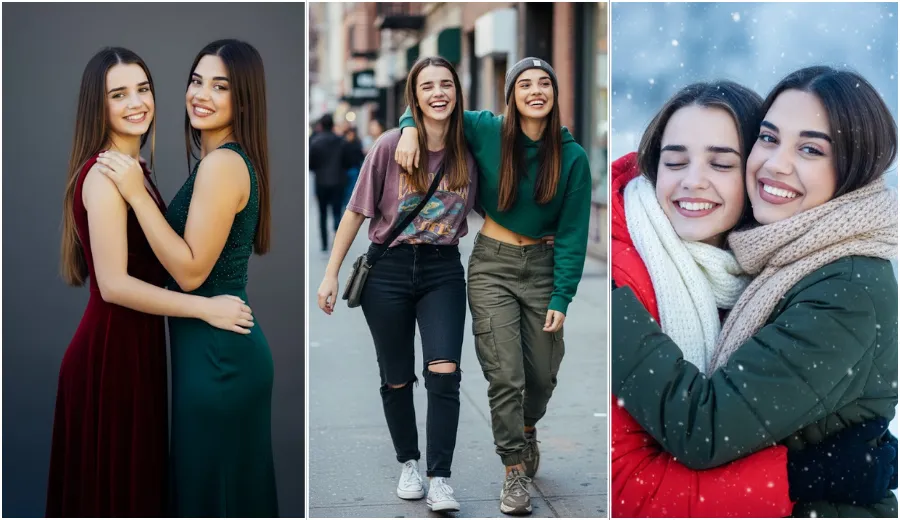
13. Professional Studio Portrait
Edit this photo into a high-end studio portrait. Keep all faces and body proportions unchanged. Change outfits to formal or semi-formal wear. Adjust posture to a confident studio pose. Use balanced three-point lighting with a clean dark or neutral background. Keep skin texture natural.
14. Magazine Cover Realism
Transform this photo into a glossy magazine-style image. Preserve faces and body shape. Change clothes to fashionable outfits. Adjust pose to confident and stylish. Brighten the image, sharpen details, and add a subtle vignette while keeping everything realistic.
15. Underwater Dream Reflection
Edit this photo as if taken just below the water surface. Keep faces and body shape the same. Change outfits to flowing fabric styles. Add cool blue lighting, gentle light refractions, and faint bubbles. Keep faces sharp and detailed.
16. Frozen Winter Clarity
Transform the photo into a crisp winter scene. Keep facial features and body proportions unchanged. Change clothes to winter jackets and scarves. Add frosty air, cool tones, and soft snowfall in the background. Enhance icy textures for realism.
17. Reflected Sunset Glow
Edit the image with warm sunset lighting. Preserve faces and body shape. Change outfits to casual evening wear. Add rich orange, red, and purple reflections on skin and clothes. Keep faces bright with detailed shadows.
18. Detailed Street Photography
Turn this photo into a realistic street photography shot. Keep faces and body structure the same. Change clothing to urban casual styles. Adjust posture to candid movement. Add a city street background with natural daylight and gritty textures.
19. Minimalist Clean White Background
Remove the background and replace it with a pure white studio backdrop. Keep faces and body shape unchanged. Change clothing to simple solid colors. Use soft, even lighting with gentle shadows for a clean professional look.
20. Dynamic Movement Blur
Edit this photo to show motion and energy. Keep faces and body shapes sharp and unchanged. Change outfits to sporty or casual wear. Add motion blur only to the background. Use high-contrast lighting to create an action-style realistic effect.
Conclusion
And that’s it — your complete list of Top 20 Gemini AI Photo Prompts for Best Friends. These prompts are designed to help you turn regular photos into stunning, ultra-realistic portraits.
Remember: the more detail you add in your prompt, the better Gemini AI understands your vision. Just upload your photo, copy any of these detailed prompts, and let Gemini create pure visual magic.
So next time you and your best friend take a photo, don’t just edit it — transform it into a masterpiece!
