Cinematic Motion Blur Night Walk AI Prompt for boys and girls helps you turn a normal photo into a real night city scene with soft lights, moving traffic feel, and deep mood lighting. In this guide, you will get detailed prompts that can create sharp face detail with natural skin, while the background shows motion blur like a real film shot. These prompts are made to give you a clean and realistic edit, not any fake or cartoon style look.
You can use tools like Gemini AI or ChatGPT image editor to apply these prompts. Just upload your photo and copy paste the prompt. I personally tested these prompts on clear face images to check lighting, skin detail, and background depth. Results depend on your original photo quality, so always use a sharp and front facing image.
Cinematic Motion Blur Night Walk Prompts for Boys
1. Urban Neon Street Walk
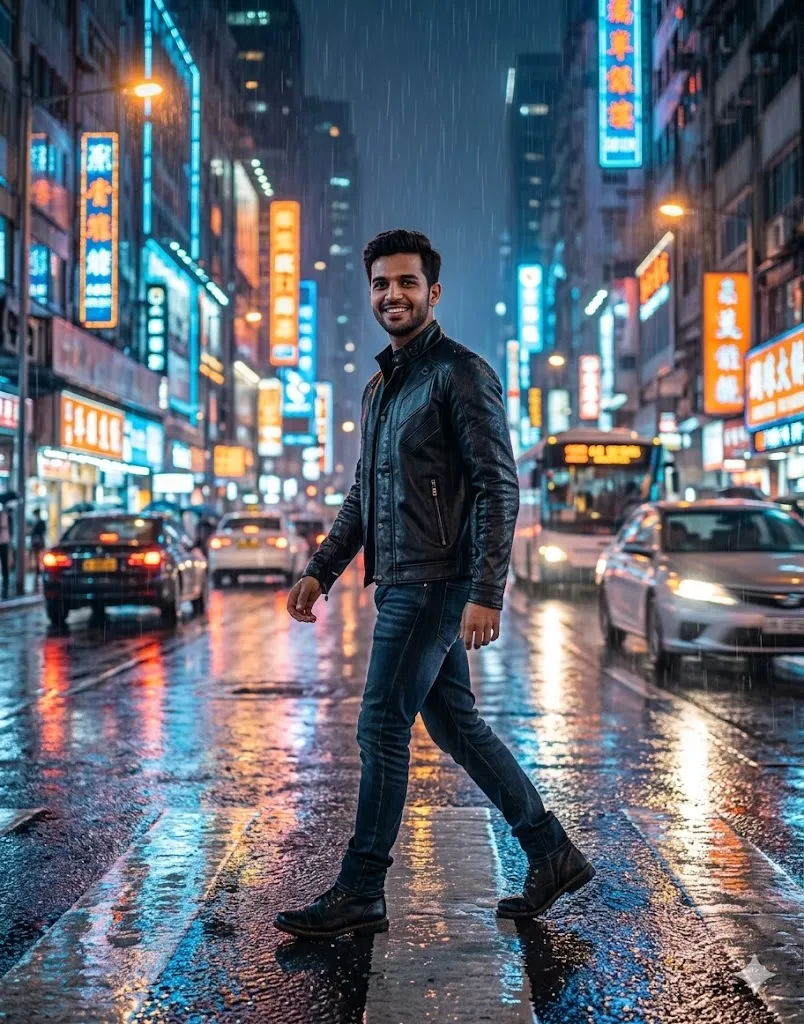
Edit the uploaded photo into a hyper realistic night city scene where the boy is walking on a wet road. Add a black leather jacket and dark jeans outfit. Keep the face exactly same with natural skin tone and sharp details. Add neon lights in blue and orange in the background with soft glow. Create motion blur on passing cars and road reflections to show movement. Add light rain effect with water drops reflecting light. Keep lighting soft and cinematic with real shadows. Maintain 8K detail, natural expression, and real camera depth.
2. Fast Walk Downtown Scene
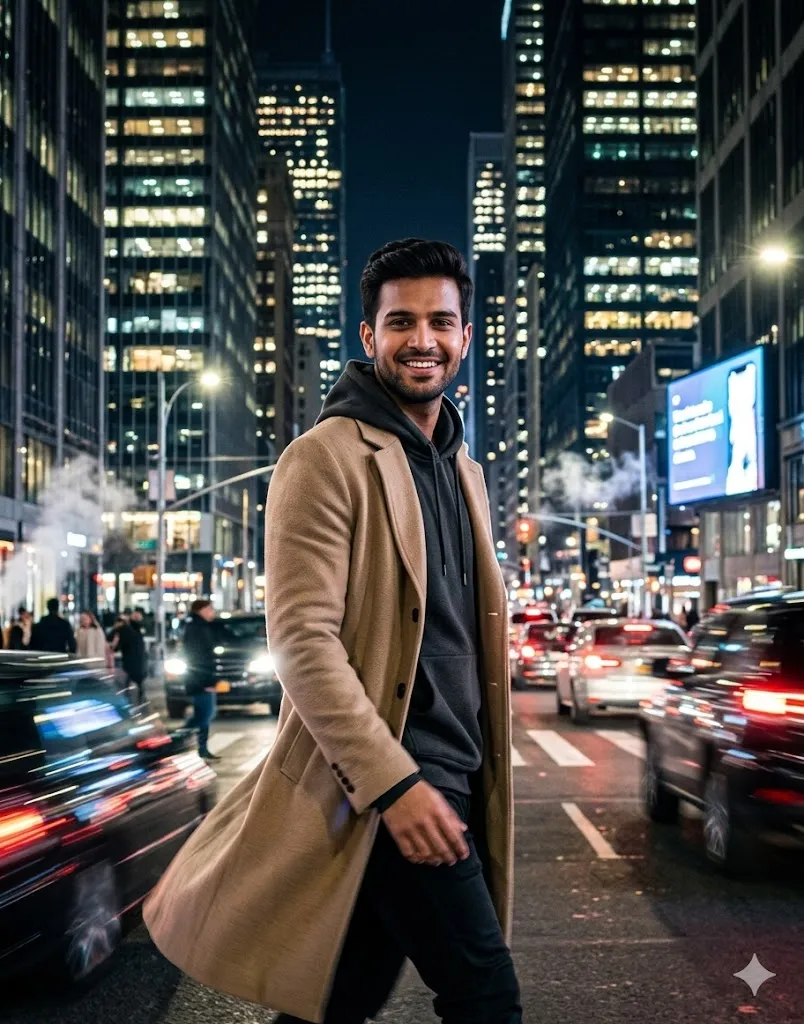
Edit the uploaded photo into a busy city street at night. Add a beige long coat over a dark hoodie outfit. Keep face fully same and clear. Add tall buildings with glowing windows behind. Create motion blur of traffic lights in red and white to show fast movement. Add slight walking pose with hand and leg blur for natural motion. Keep face sharp and detailed with realistic skin light reflection. Use cinematic lighting with deep contrast. Maintain high quality 4K or above and make it look like a real camera shot.
3. Neon Alley Night Style
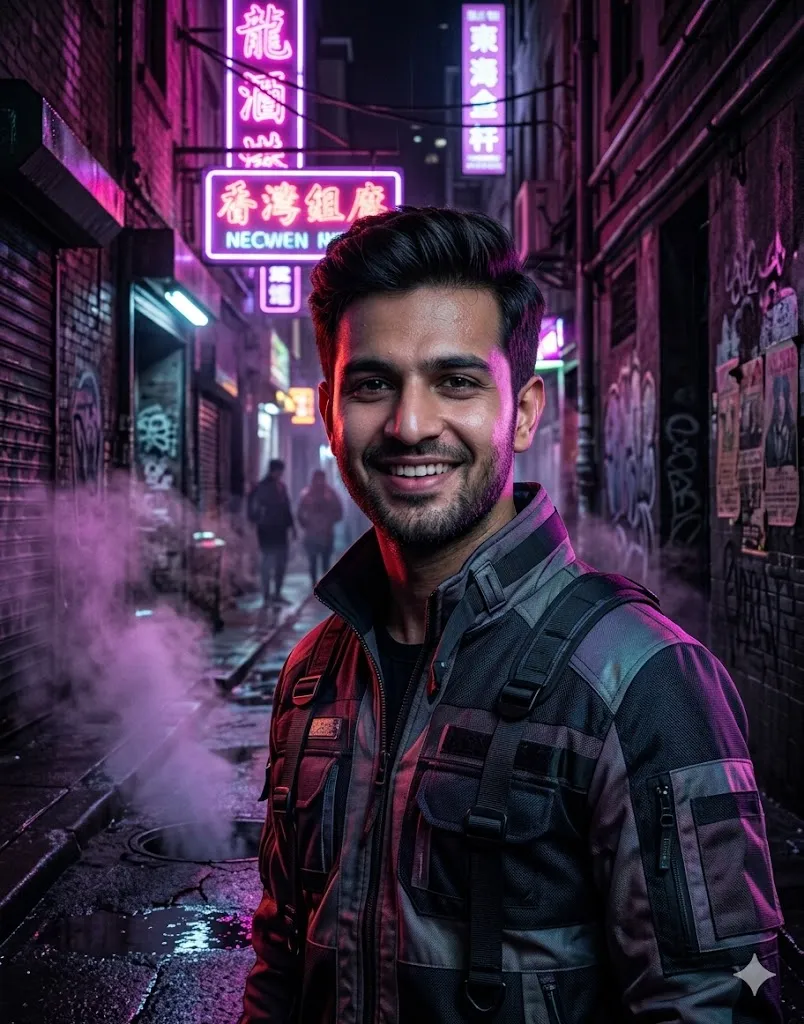
Edit the uploaded photo into a narrow alley scene with pink and purple neon lights. Add a modern street style jacket outfit. Keep face same with clear detail and natural texture. Add steam effect coming from ground with soft motion blur. Add distant people as blurred shapes to create depth. Keep subject in sharp focus with cinematic shadows on face. Use dark tones with high contrast lighting. Maintain ultra realistic look with deep blacks and clear highlights. Final image should look like a real night photo.
4. Bridge Night Walk Look
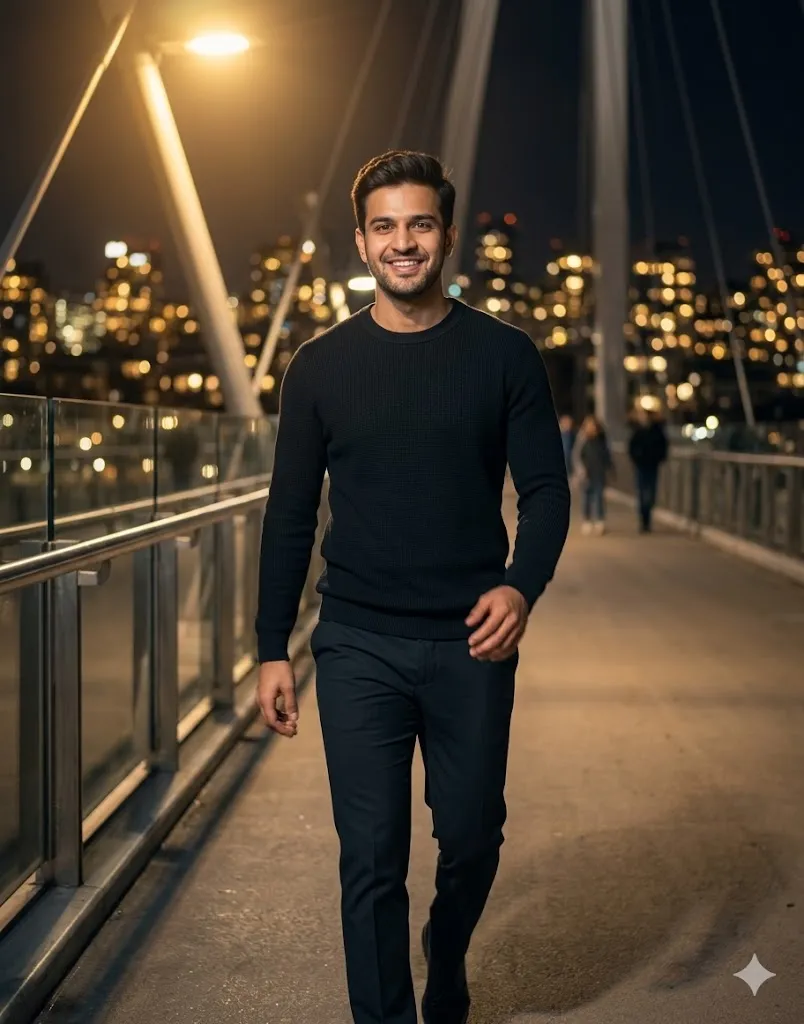
Edit the uploaded photo into a night bridge walk scene. Add a simple fitted sweater and pants outfit. Keep face exactly same with soft natural skin tone. Add city skyline in background with blurred golden lights. Create soft motion blur in hands and legs to show walking movement. Add warm light falling on face and eyes. Keep background slightly out of focus for depth. Maintain realistic shadows and clean camera finish. Make it look like a real photo with soft cinematic feel and high detail.
Cinematic Motion Blur Night Walk Prompts for Girls
1. Night Crosswalk Glow
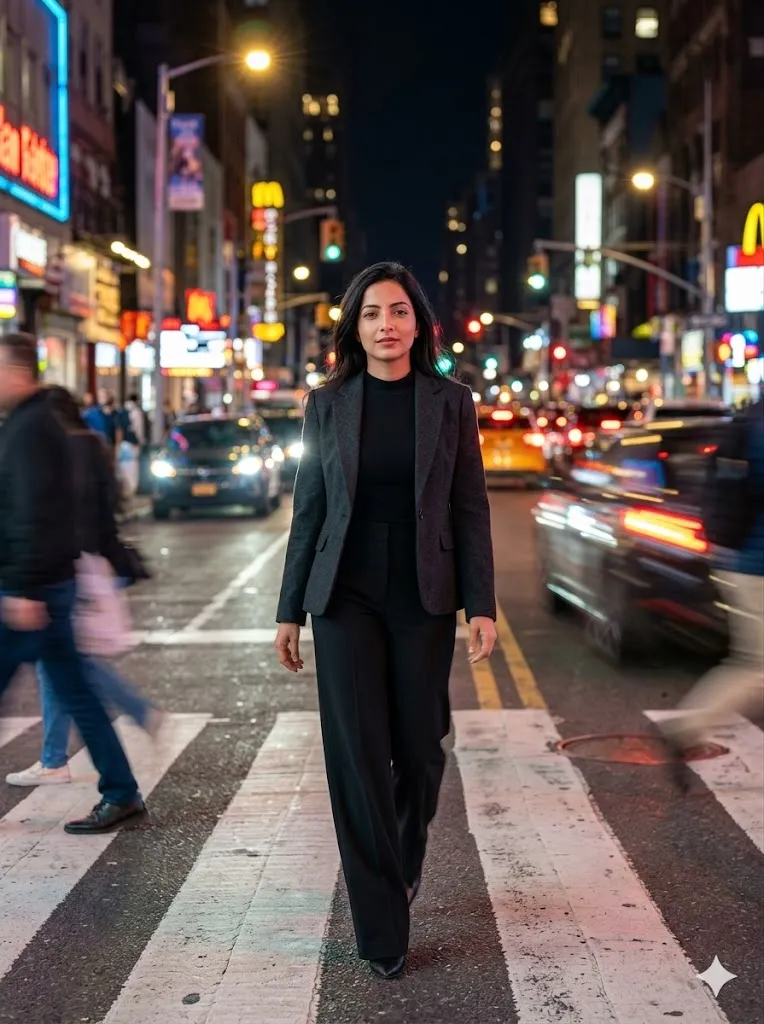
Edit the uploaded photo into a busy night crossing scene. Add a stylish blazer and high waist pants outfit. Keep face same with clear and sharp detail. Add bright street lights and car headlights in background with motion blur effect. Create soft glow around lights for cinematic look. Keep subject in focus with confident walking pose. Maintain natural skin texture and hair detail. Use balanced color tones and high clarity. Final output should look like a real night city photo with smooth lighting.
2. Soft Light Park Walk
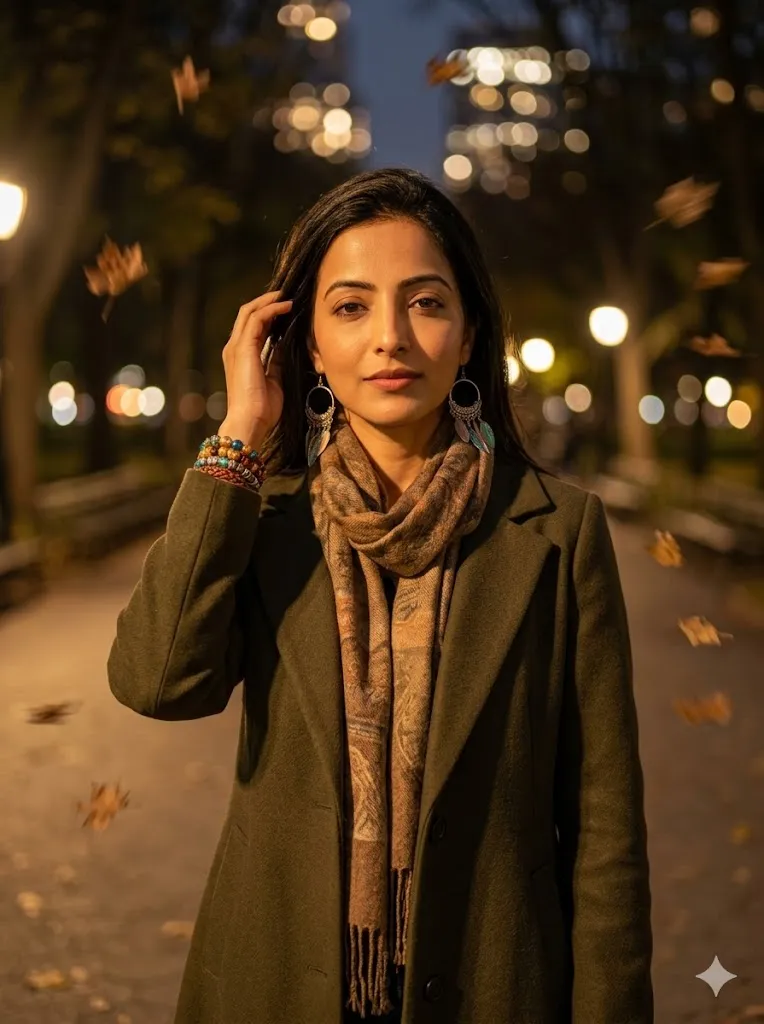
Edit the uploaded photo into a calm park path near city at night. Add a long coat and scarf outfit. Keep face exactly same with soft skin detail. Add background lights as soft round blur circles. Create light motion blur in falling leaves and background. Add warm golden lighting on face for peaceful mood. Keep overall tone soft and natural. Maintain high detail and realistic camera feel. Final image should look calm, real, and naturally lit.
3. Bright City Fashion Walk
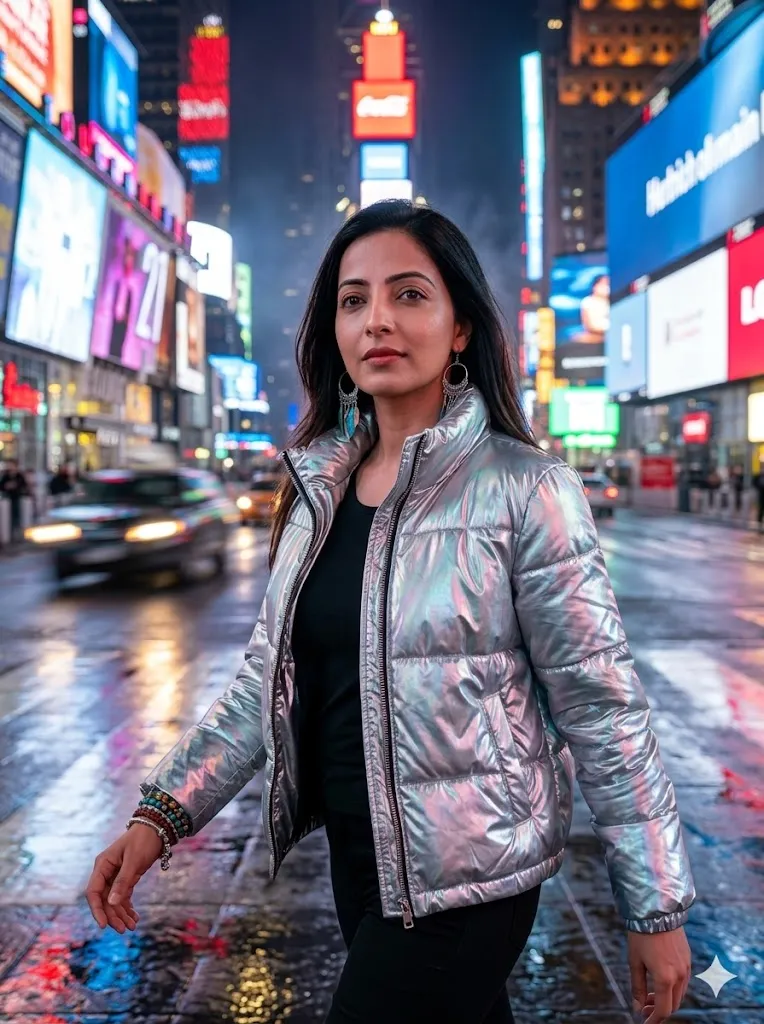
Edit the uploaded photo into a bright city square with strong lights. Add a shiny modern jacket outfit. Keep face same and clear with natural look. Add colorful lights in background with strong motion blur to show busy area. Capture walking pose with slight motion in body. Keep face sharp and eyes focused. Add cinematic lighting with real reflections. Maintain ultra realistic detail and high quality finish. Final result should look like a real fashion photo taken at night.
4. Subway Entrance Scene
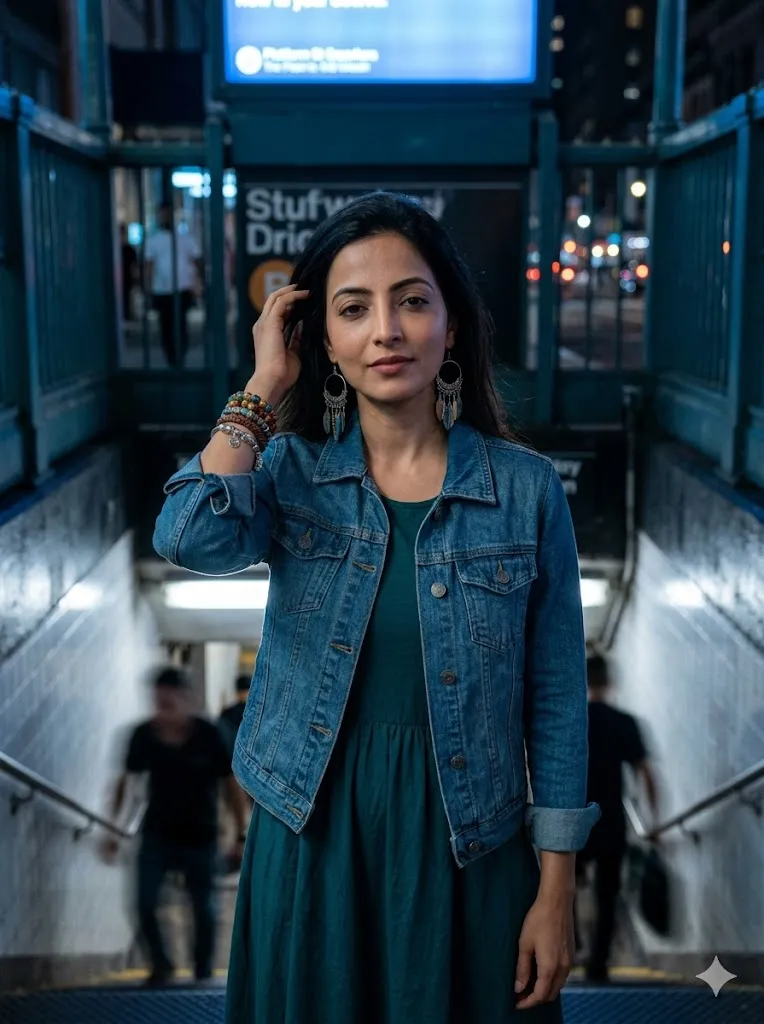
Edit the uploaded photo into a subway entry area at night. Add a denim jacket with simple dress outfit. Keep face exactly same with natural tone. Add cool blue lighting in background with slight grain texture. Create motion blur on stairs and passing shadows. Keep subject face fully sharp and detailed. Add realistic shadows and depth. Maintain clean and natural skin look. Final output should look like a real night photo with soft cinematic mood.
Final Words
Cinematic Motion Blur Night Walk AI Prompt for boys and girls is one of the easiest ways to create high quality night photos without a camera setup. I personally tested these prompts on different images and got very natural results when the input photo was clear. Try them slowly and adjust small details if needed. You will see how simple edits can change your full photo look in a very real way.
