Gemini AI Photo Editing Prompt iPhone 17 Pro Max helps you turn your normal photos into clean premium style images that look like they were clicked on a flagship phone. In this guide you will get hyper realistic photo editing prompts that focus on modern style clean background and high end look. These prompts are made to keep your real face and body same while improving outfit pose and scene in a natural way.
You can use these prompts with tools like Gemini AI Nano Banana and ChatGPT image tools. Just upload your photo and copy paste the prompt. The AI will follow your face details and create a realistic result. All prompts are written in a safe and clear way so they work smoothly and give natural looking output.
Gemini AI Photo Editing Prompt iPhone 17 Pro Max
1. Luxury Elevator Mirror Shot
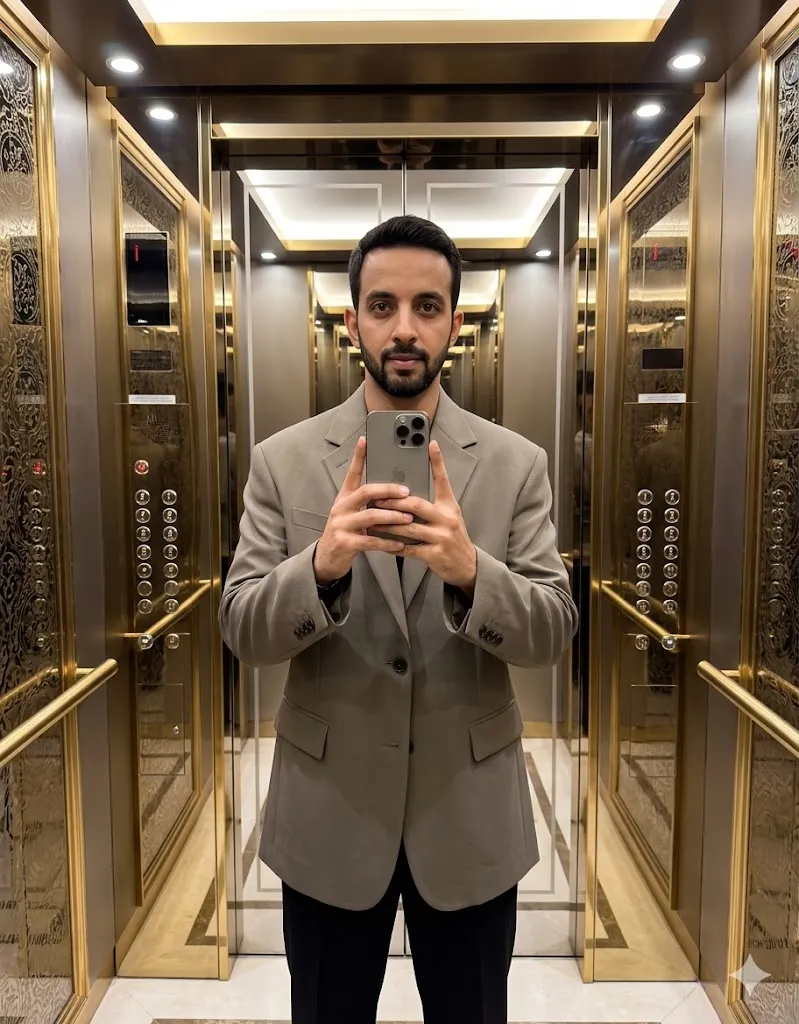
A hyper-realistic photo edit of the person in the uploaded image. The person is standing in a high-end, gold-trimmed elevator with soft LED lighting. They are holding a titanium-finish iPhone 17 Pro Max in front of a crystal-clear mirror to take a selfie. Change the outfit to a stylish oversized designer blazer and black trousers. Maintain the original face and body structure of the person perfectly. The background shows reflective metallic walls. 8k resolution, cinematic lighting, shot on 35mm lens, ultra-detailed skin textures.
2. Minimal Studio Clean Look
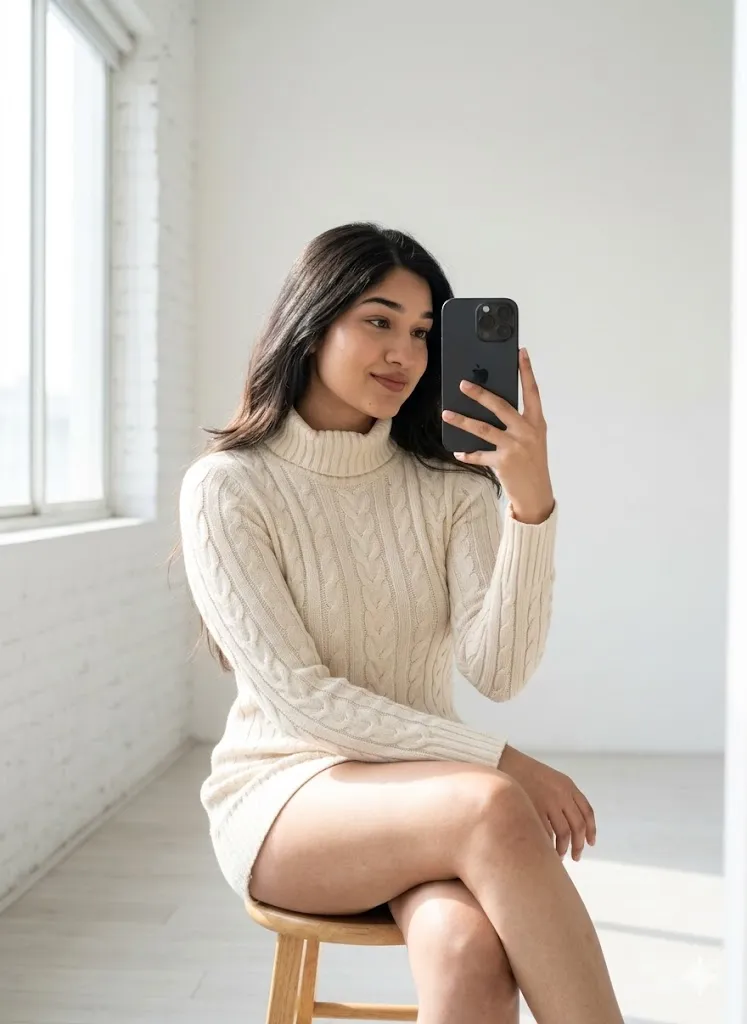
Edit the uploaded photo and place the person inside a modern white studio with soft natural light coming from a window. Make the person sit on a simple wooden stool and hold an iPhone 17 Pro Max in hand while taking a mirror selfie. Change outfit into a fitted high quality sweater. Keep face and body fully same as original image. Add soft shadows and smooth light on skin. Keep the background simple and clean with sharp focus on phone and face for a professional look.
3. Cafe Mirror Selfie With iPhone

Edit the photo to show the person sitting in a cafe taking a mirror selfie using the iPhone 17 Pro Max. The phone must look natural with correct hand grip. Change the outfit to a sweater or casual jacket. Add soft daylight and blurred cafe background. Keep facial identity and body shape exactly the same.
4. London Morning Walk Scene
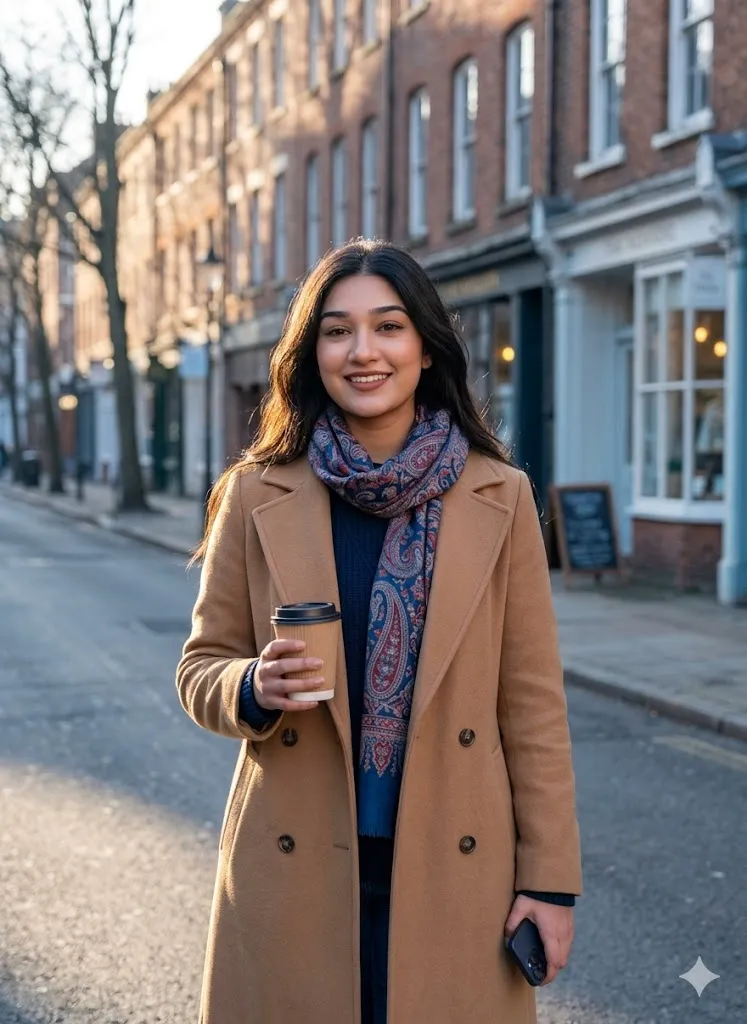
Edit the uploaded photo and place the person on a calm street with old brick buildings in background. Show the person walking while holding a coffee cup and an iPhone 17 Pro Max in hand. Change outfit into a long coat with scarf. Keep face and skin details same as original. Add soft morning light and slight cold tone in background. Keep the photo clean sharp and natural looking with high detail skin and realistic light.
5. Private Jet Luxury Scene
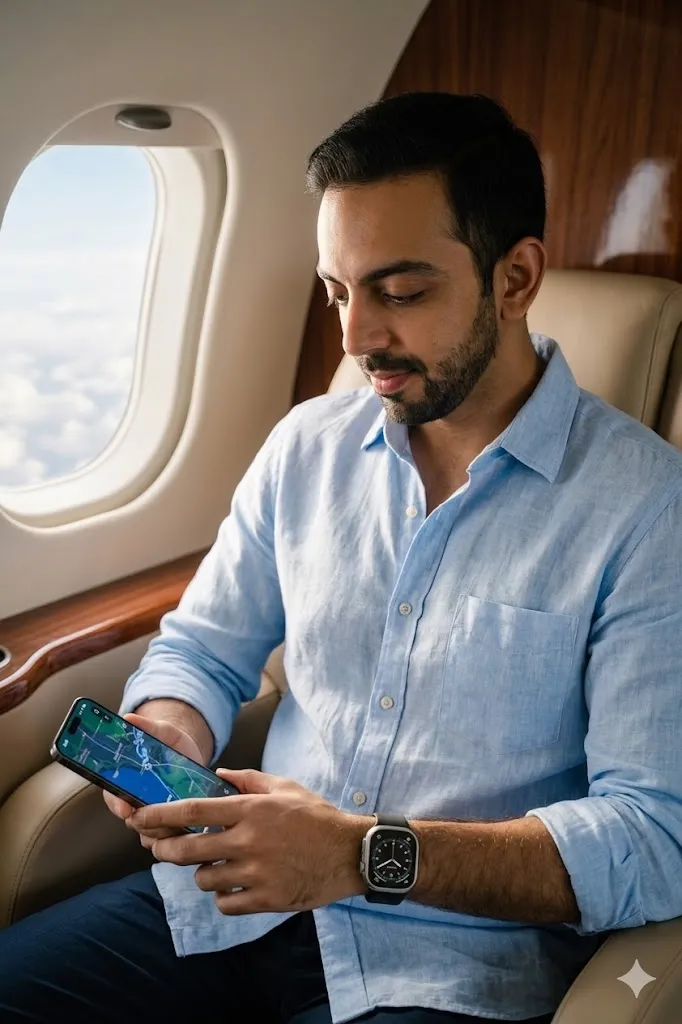
Edit the uploaded photo and place the person inside a private jet seat near window. Show the person looking at the screen of an iPhone 17 Pro Max. Change outfit into a premium shirt with a smart watch. Keep face eyes and body structure same as original. Add natural sunlight coming from window on face. Use soft blur background with focus on subject. Keep color simple and clean for a luxury travel look.
6. Rooftop Sunset View
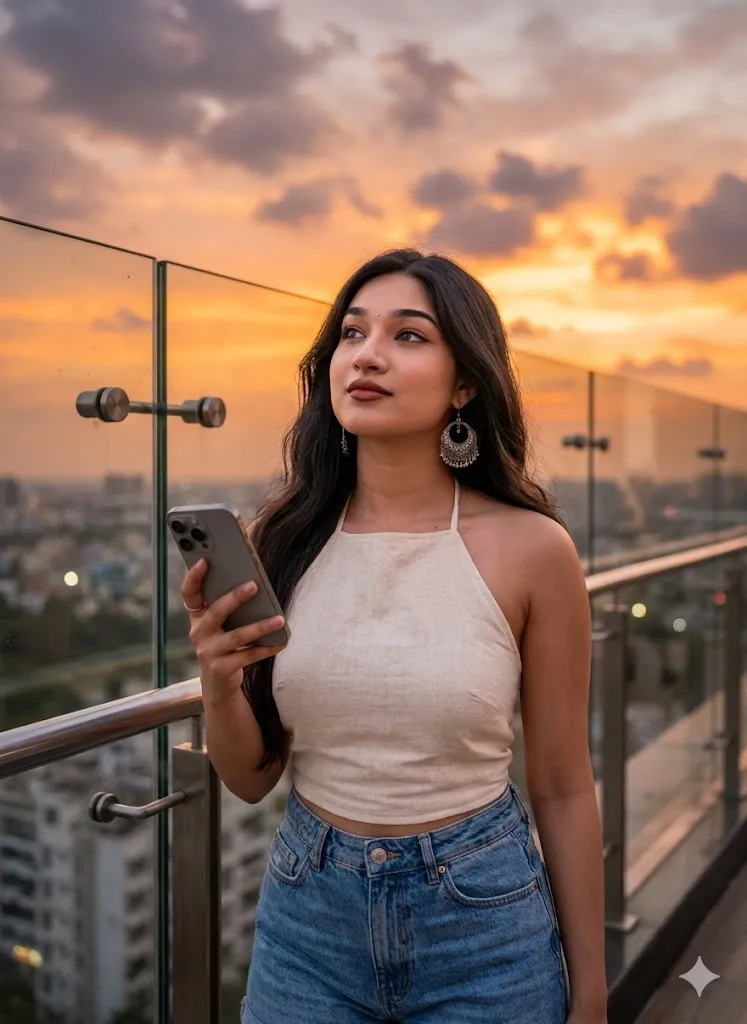
Edit the uploaded photo and place the person on a rooftop with glass railing during sunset. Show the person holding an iPhone 17 Pro Max in hand. Change outfit into a modern summer outfit. Keep face and body same as original image. Add orange and purple sky in background with soft city view blur. Use natural light on face and smooth shadows for a cinematic photo feel.
7. Modern Office Tech Look

Edit the uploaded photo and place the person inside a modern office with glass walls and desk setup. Show the person holding an iPhone 17 Pro Max near ear like talking. Change outfit into smart casual office wear. Keep face hair and body same as original. Add soft indoor light and clean background with simple tech setup. Keep the photo sharp clear and realistic for a professional look.
8. Gaming Setup Future Style
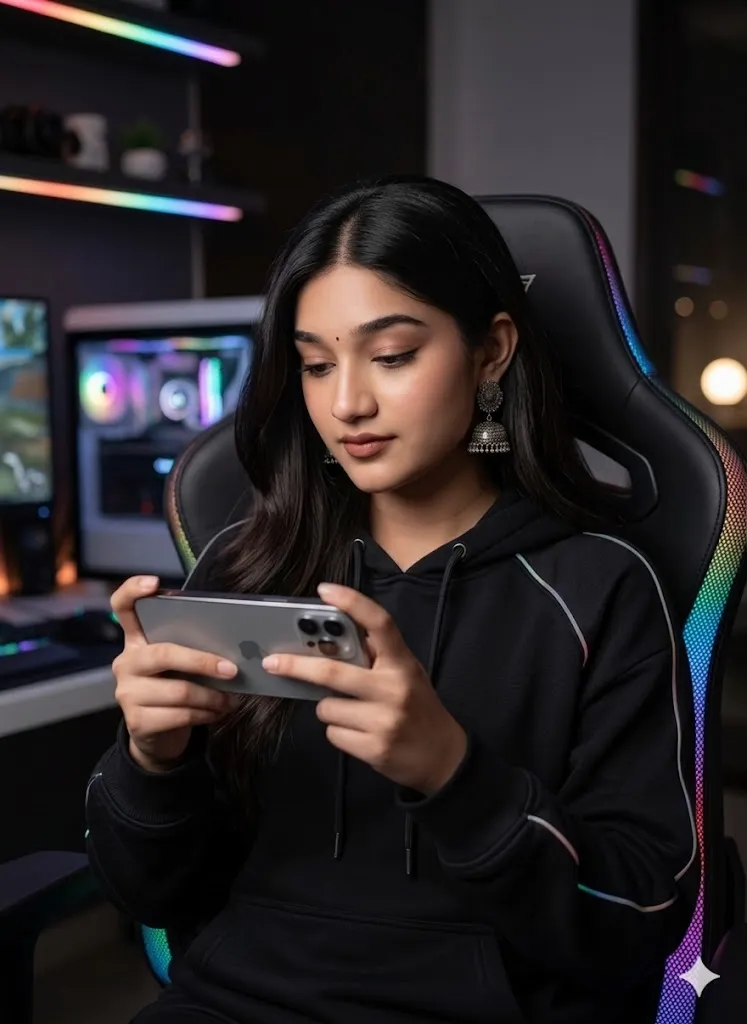
Edit the uploaded photo and place the person on a gaming chair with soft light strips around. Show the person holding an iPhone 17 Pro Max in landscape mode like playing a game. Change outfit into a stylish hoodie. Keep face and body same as original. Add dark background with soft glowing lights. Keep focus on face and phone with detailed texture for a modern setup look.
Final Words
Gemini AI Photo Editing Prompt iPhone 17 Pro Max 2026 worked really well for me when I tested these styles on my own photos. The results looked clean natural and very close to real camera shots. If you follow the prompts properly you will get strong results without losing your real identity. Try different styles and see what fits your look best.
